
Guide
What you can use it for
Three uses for the table
Get it out of your head
Drop in your files and links. The AI interviews you about how the work really happens. Your answers become a table you can check in one look.
Map a workflow you already run
Describe the task and who touches it. The table shows every input and every hand-off before you automate anything.
Teach with it
One table on screen replaces ten minutes of talking. Walk through the inputs, steps and result so people can see how the workflow fits together.
How to use this tool
 Open full-size illustration ↗
Start with a workflow you know, or let this tool help you find one.
How to read your workflow
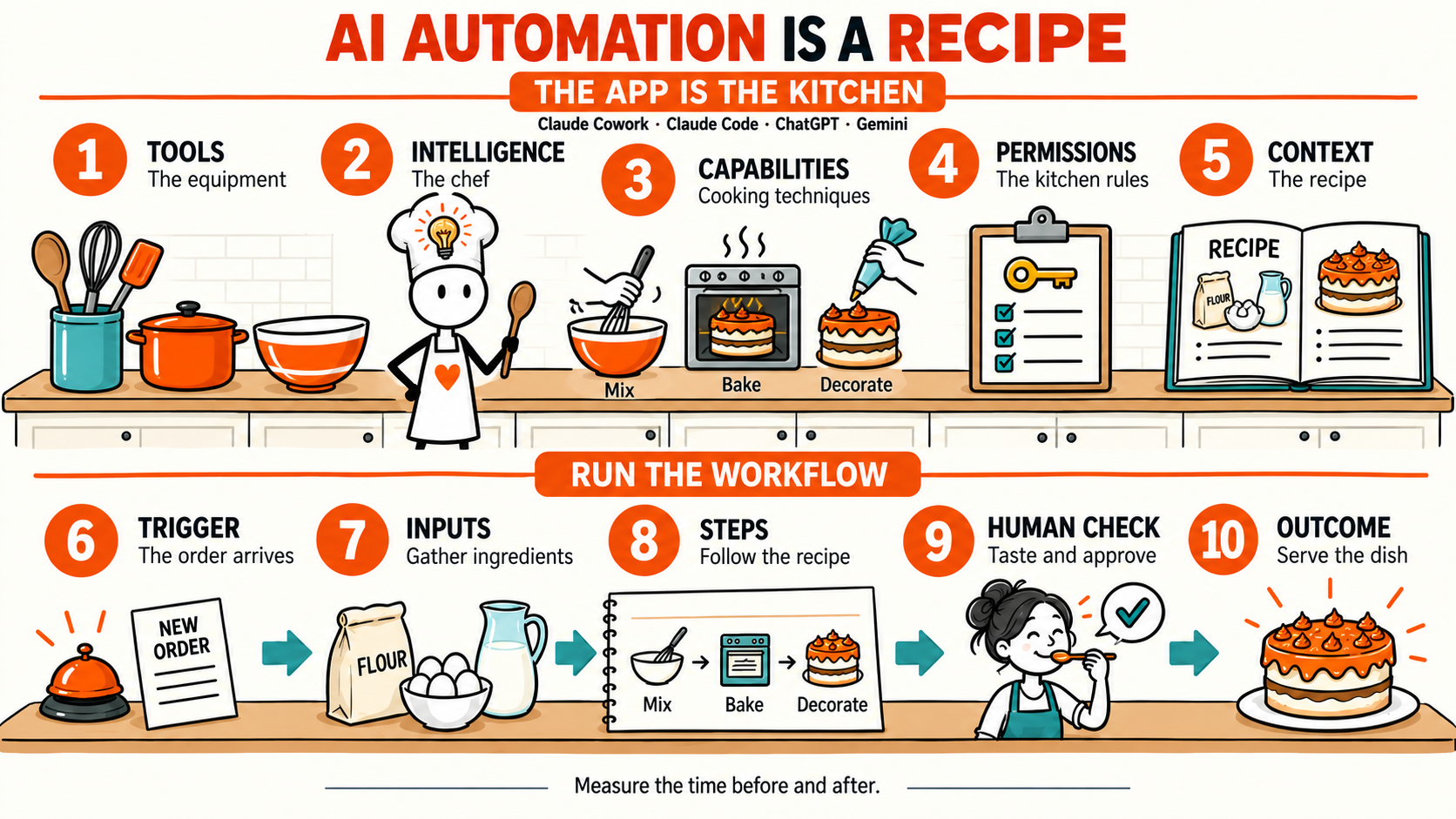
Read it like a recipe. Setup is your equipment and preparation. Inputs are ingredients. Steps are the method. The outcome is the result.
Start here
Build your workflow
Step 1 - Choose your AI
Connect your existing ChatGPT or Claude plan. The AI will guide the interview and create your first workflow map.
1. Open ChatGPT sign-in. 2. Enter this code. 3. Return here.
Connected to ChatGPT
Loading model… Medium
Effort
Medium
ChatGPT setting: medium
Your conversation is restored. Continue from your saved answer.
Do you already have a workflow in mind?
Choose the answer that feels closest. We’ll aim for a first draft around 10 questions, with 15 as the limit. Then we’ll refine it together.
Tell the AI about the work
Discover your workflow
First draft around 10 answers. No more than 15 questions.
Your first workflow draft
Does this look right? Check the map, then tell the AI what to change. Gaps stay visible.
What we know so far
Your workflow map
The interview created this first version. Check the inputs, steps, and outcome.
Why this matters
Examples
Explore workflow recipes
Example 1
Client meeting → CRM notes + follow-up email
You attend the meeting. The AI writes the notes and the email. You check the email and send it.
View
Compare the same workflow before and after AI.
Before 1 hour
After 9 min
51 min saved · 85% less time
Swipe sideways to compare both workflow tables.
Before AI
1 hourAI-enabled
9 minExample 2
One LinkedIn post a week, from work you already did
Your week is the raw material. The AI finds the story in it. You pick a draft and post it.
Build it
Build your automation
Copy this prompt into a new AI chat. Select a model that can build the workflow. Follow the instructions one step at a time.
Your build prompt
The prompt includes your workflow map, setup decisions, and build instructions.
Optional editor
Edit the workflow manually
Use this editor when you need to correct the generated map. Add or reuse inputs, then connect them to each step.
1 · Name it
2 · Set up once
3 · Add inputs
4 · Combine
Cards stay in this list. Select a card again when another step needs it.
AI settings for this step
Most steps use the workflow settings. Add an override only when this step needs different intelligence.
Live table